
Share a Read-Only Portfolio by Link
Learn how to share a read-only PortfolioStack portfolio by link or email so clients can review it without logging in or editing.

Share your portfolio with clients, executives, or partners without giving them editing access. PortfolioStack creates a public, read-only view that recipients can open without logging in.
Before you begin
Share a portfolio by link
1. Open the portfolio you want to share
Click Portfolios in the sidebar, then select the portfolio card you want to send. The portfolio opens on its Portfolio Detail page, where the header is visible.
2. Click Share in the portfolio header
Click the Share button in the portfolio header. The sharing options open and present two ways to distribute the same public portfolio view: copy its link or send it by email.
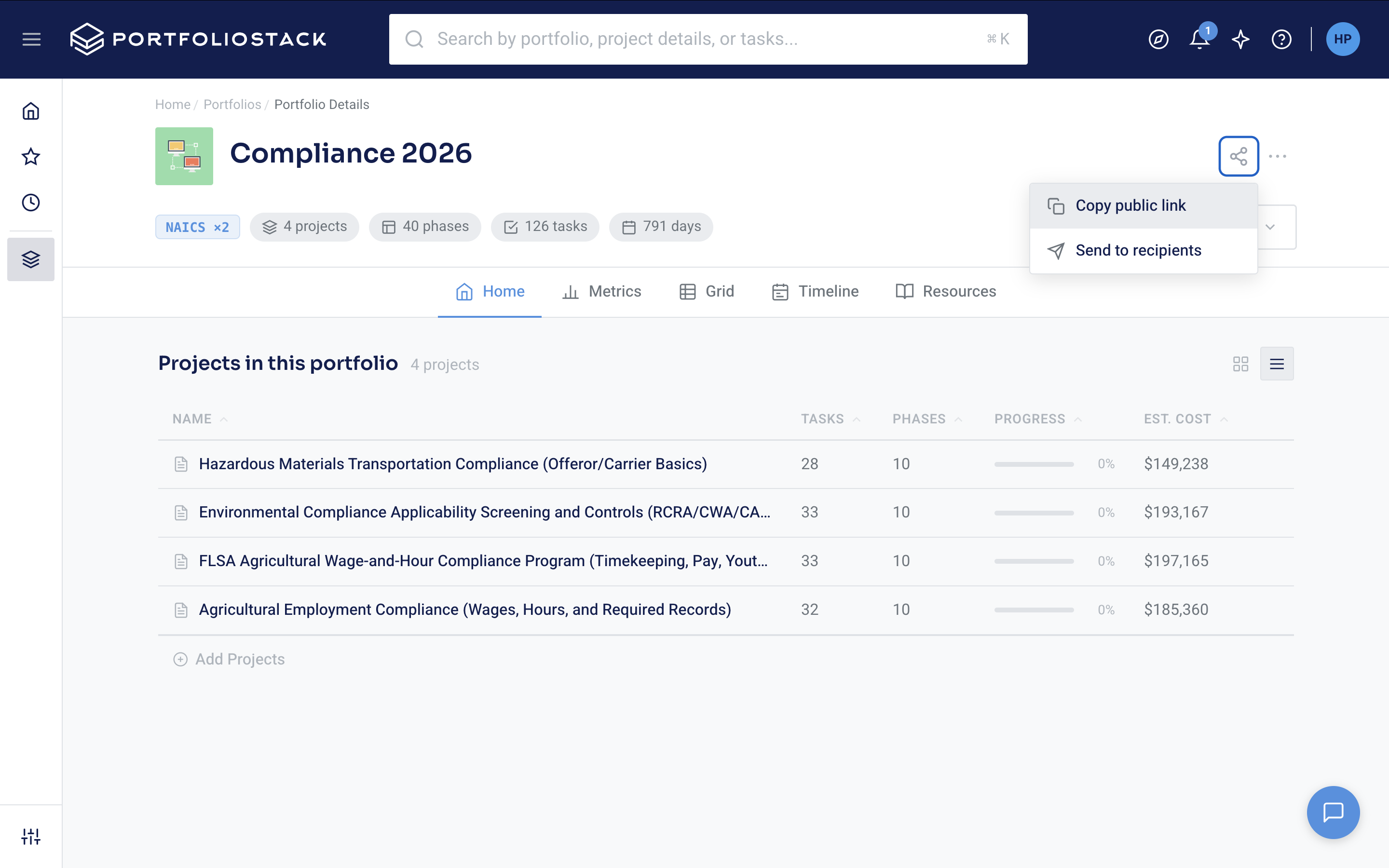
3. Click Copy link
Click Copy link in the sharing options. PortfolioStack copies the portfolio URL to your clipboard, so it is ready to paste into the communication channel you already use with the stakeholder.
4. Paste the URL where stakeholders will receive it
Paste the copied URL into your message, document, client portal, or team channel. Send the message through that channel when you are ready. The public link stays the same for the lifetime of the portfolio, so use the same URL when you need to share the portfolio again rather than generating a new link.
Send the portfolio by email
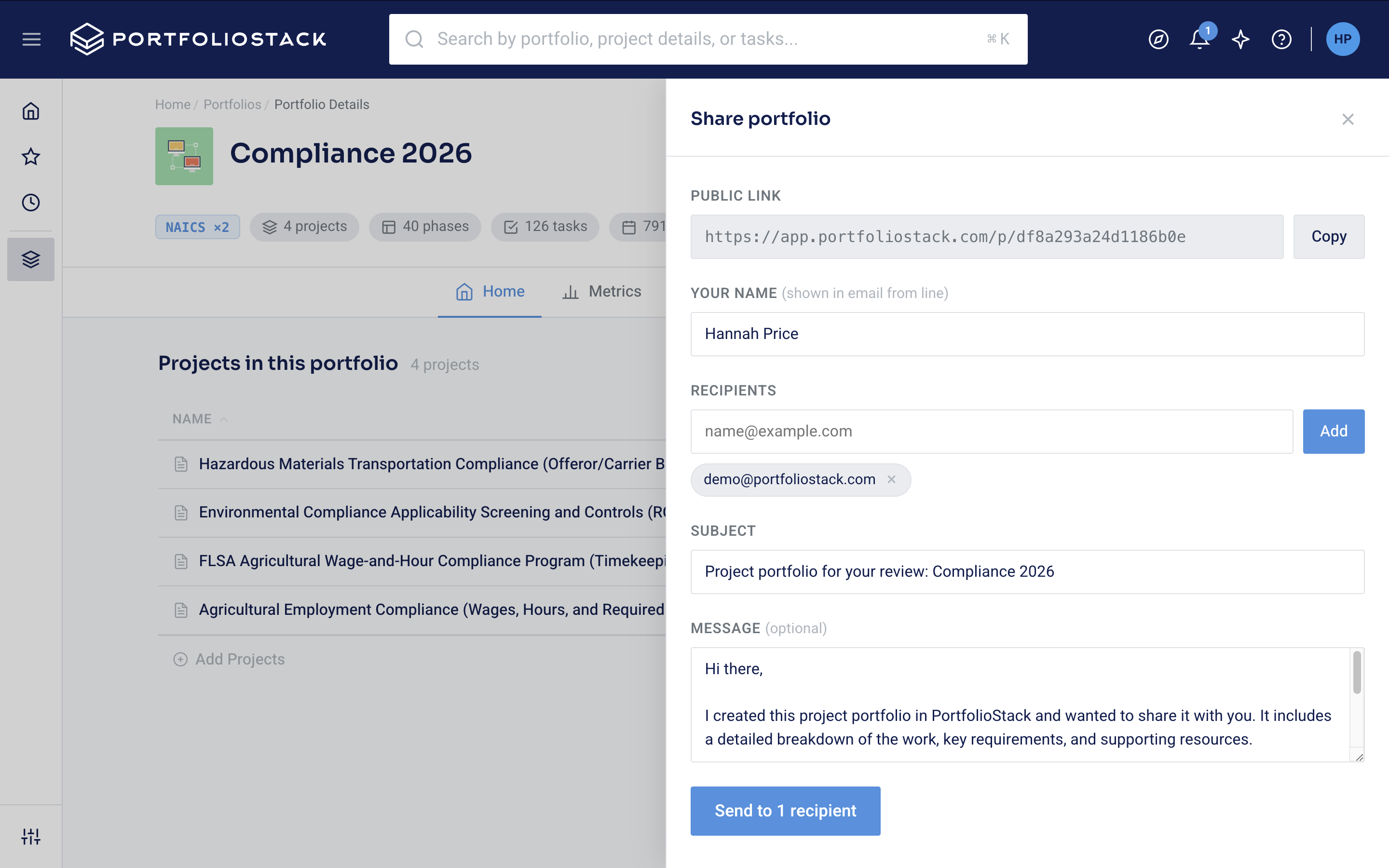
5. Use the email option to send the link
Open the email option from the Share interface, enter one or more recipient addresses, add an optional message, and click Send. PortfolioStack sends the sharing email to the addresses you entered, giving recipients a direct route to the portfolio's public read-only view.
What stakeholders can see
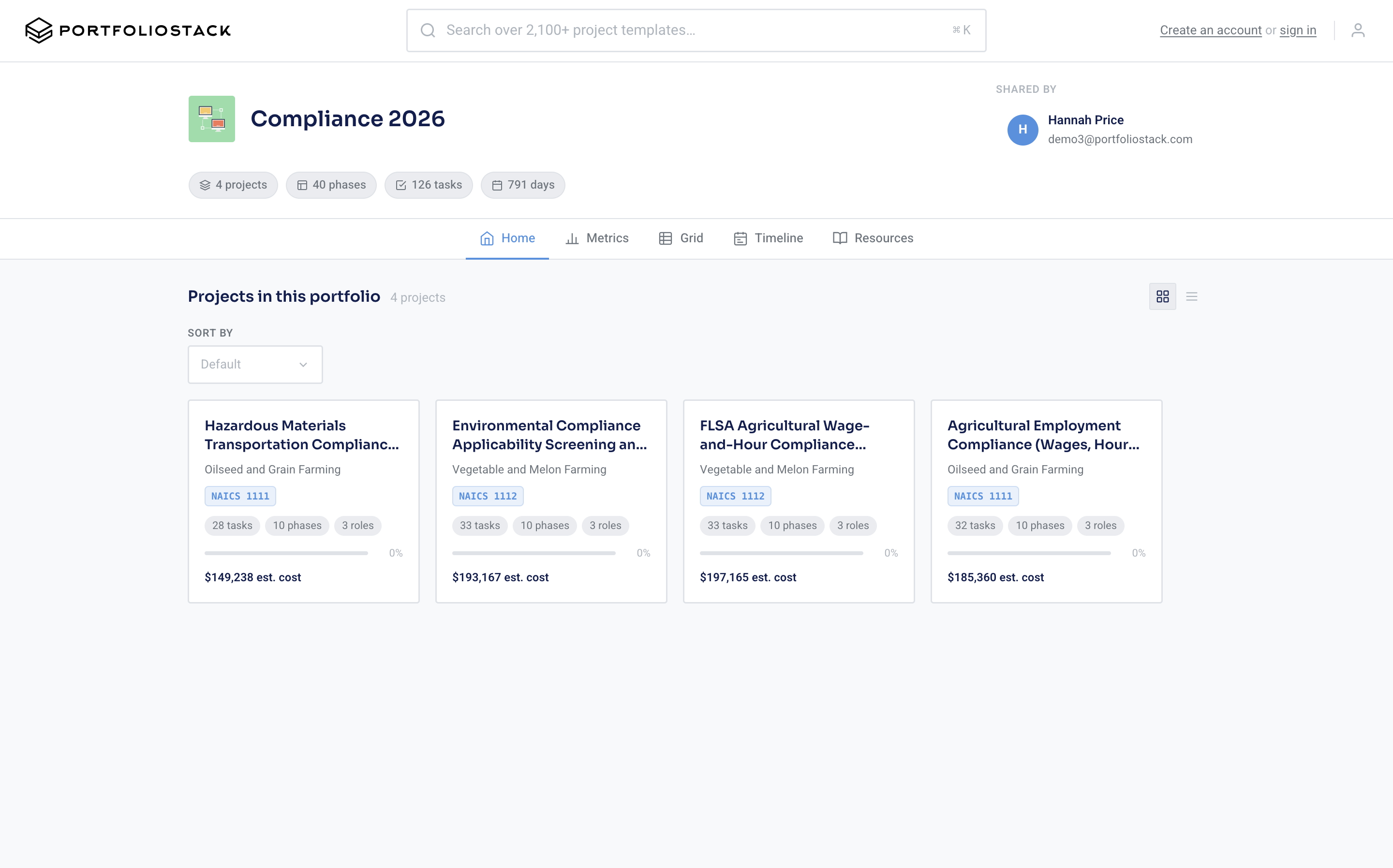
6. Confirm the recipient experience by opening the shared link
Open the shared link in a browser to confirm the public view. Recipients can open the portfolio without logging in and explore all portfolio tabs in read-only mode. They can review the portfolio information available in those tabs, but they cannot edit the portfolio.
If you are sending an update with the link, pair it with a clear summary of the decision, review, or action you need from the recipient. See how to create a portfolio status report that leads to a decision.
Share your portfolio
Open PortfolioStack to access a portfolio and share its read-only public link.
Start exploring now
Search the catalog, review project details, and see how PortfolioStack works before creating an account.